

Steam is an official PC purchase route
KONAMI’s game website supplies a Steam purchase entry. The publisher-maintained Steam listing is the primary platform reference retained for PC availability and requirements. That establishes the store route without relying on a third-party reseller page.
Use the exact Steam product listing when checking the PC version. The source file supports a Windows release rather than a broad promise covering every desktop operating system. It does not retain native Linux or macOS specifications.
Steam Deck: compatibility and the small-text warning
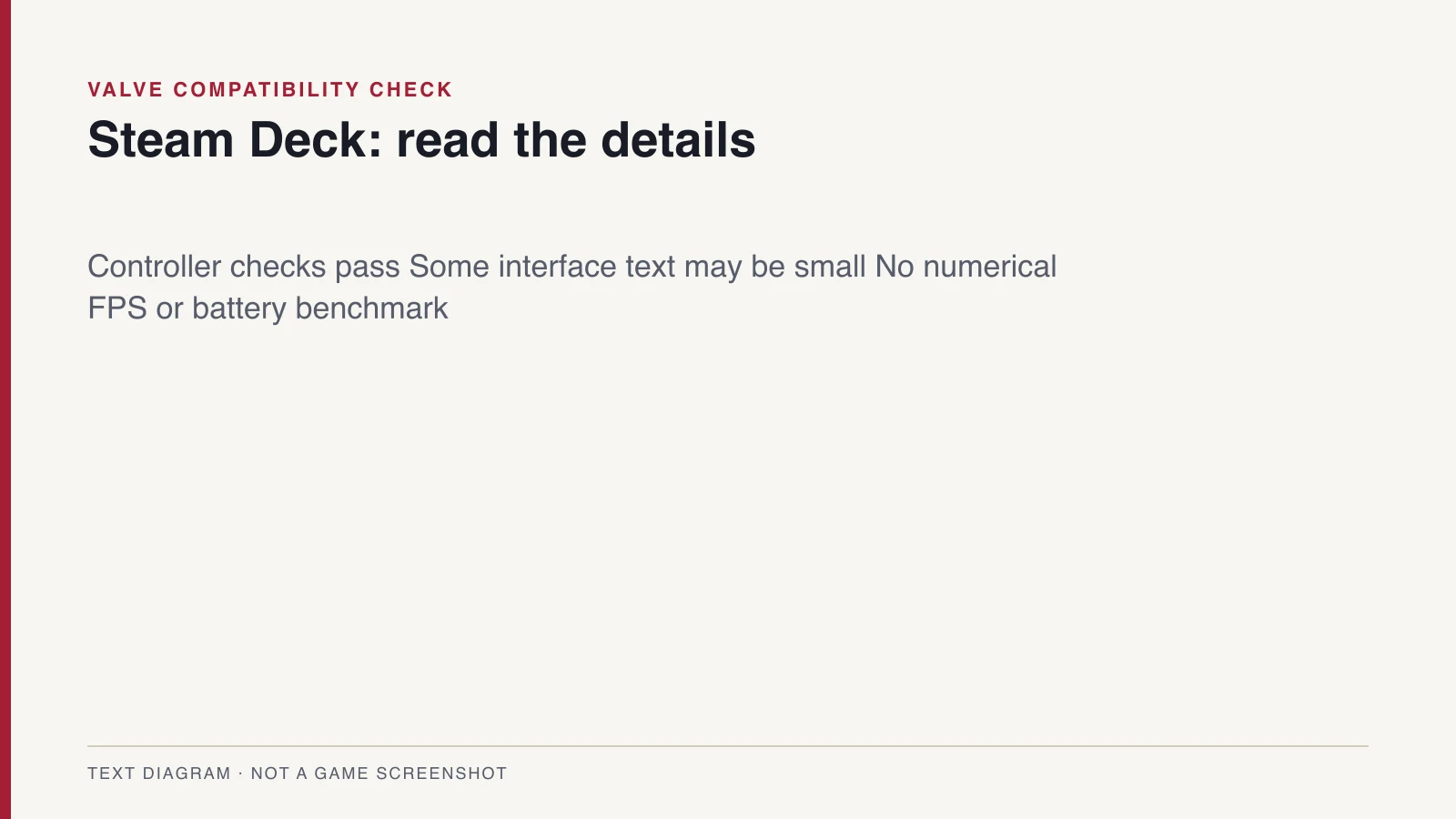
Valve's compatibility report flags some interface text as difficult to read on Steam Deck. It also records passing checks for the default controller configuration, matching controller icons and performance with the default configuration. Those checks do not supply a measured frame rate or battery-life result.
Read our Steam Deck guide before choosing the handheld version. It explains the text warning and how to check the current compatibility details. Windows desktop requirements remain separate from Steam Deck compatibility, which can involve Proton rather than native Linux support.
PC requirements at a glance
| Component | Minimum | Recommended |
|---|---|---|
| OS | Windows 11 (64-bit) | Windows 11 (64-bit) |
| CPU | Intel Core i5-8400 | Intel Core i5-10400 |
| RAM | 16 GB | 16 GB |
| GPU | GTX 1650 | RTX 3060 |
| DirectX | 11 | 11 |
| Storage | 10 GB | 10 GB |
The listed minimum specification
The minimum CPU is an Intel Core i5-8400; the recommended CPU is an i5-10400. Both configurations list Windows 11, 16 GB RAM, DirectX 11 and 10 GB storage. The listed graphics cards are a GTX 1650 at minimum and an RTX 3060 recommended.
Read these values as published requirements rather than a measured performance result. A minimum list does not by itself establish your frame rate, resolution, or graphics preset. The research contains no controlled benchmark that would justify a performance guarantee for a particular PC.

The recommended graphics card
The RTX 3060 appears in Steam’s recommended requirements. Compare your processor against the recommended i5-10400 as well. A graphics card alone cannot establish the performance of your whole computer.
When comparing your setup, keep minimum requirements and recommendations separate. The two fields answer different questions in a store specification. Neither should be turned into a promised result without a benchmark for the relevant version and settings.
The Steam demo is confirmed
KONAMI’s demo announcement includes Steam among its demo platforms. The researched Steam listing also identifies a downloadable demo. Together, those references support availability of the opening demo on the PC store.
A demo gives you a way to experience the game’s opening content, but its existence does not establish every retail feature. Keep any observations tied to the version you tried. This page does not present demo behavior as a guarantee about the entire released campaign.
Use the store for the PC-specific details
The Steam listing is the relevant source for published Windows requirements. KONAMI’s product entry supports the purchase route, and the demo announcement supports Steam’s inclusion among demo platforms. Combining them answers availability, hardware, and demo questions without mixing their roles.
If a storefront field changes, the retained date matters. The values here describe the research record rather than a live monitoring service. Use the linked official listing to check the version and regional information before buying.
The 60fps target and Steam release date
KONAMI lists a 60fps target for the PC version, the same as PS5 and Xbox Series X|S. The recommended RTX 3060 is the safer choice if you want to hold that target at higher settings. RPG Site reviewed the PC version and did not report performance problems.
The Steam listing displays October 14, while KONAMI's announcement gives October 15. Check the date and unlock time shown on your own Steam page. The release date page explains the difference.
Cheaper Steam keys
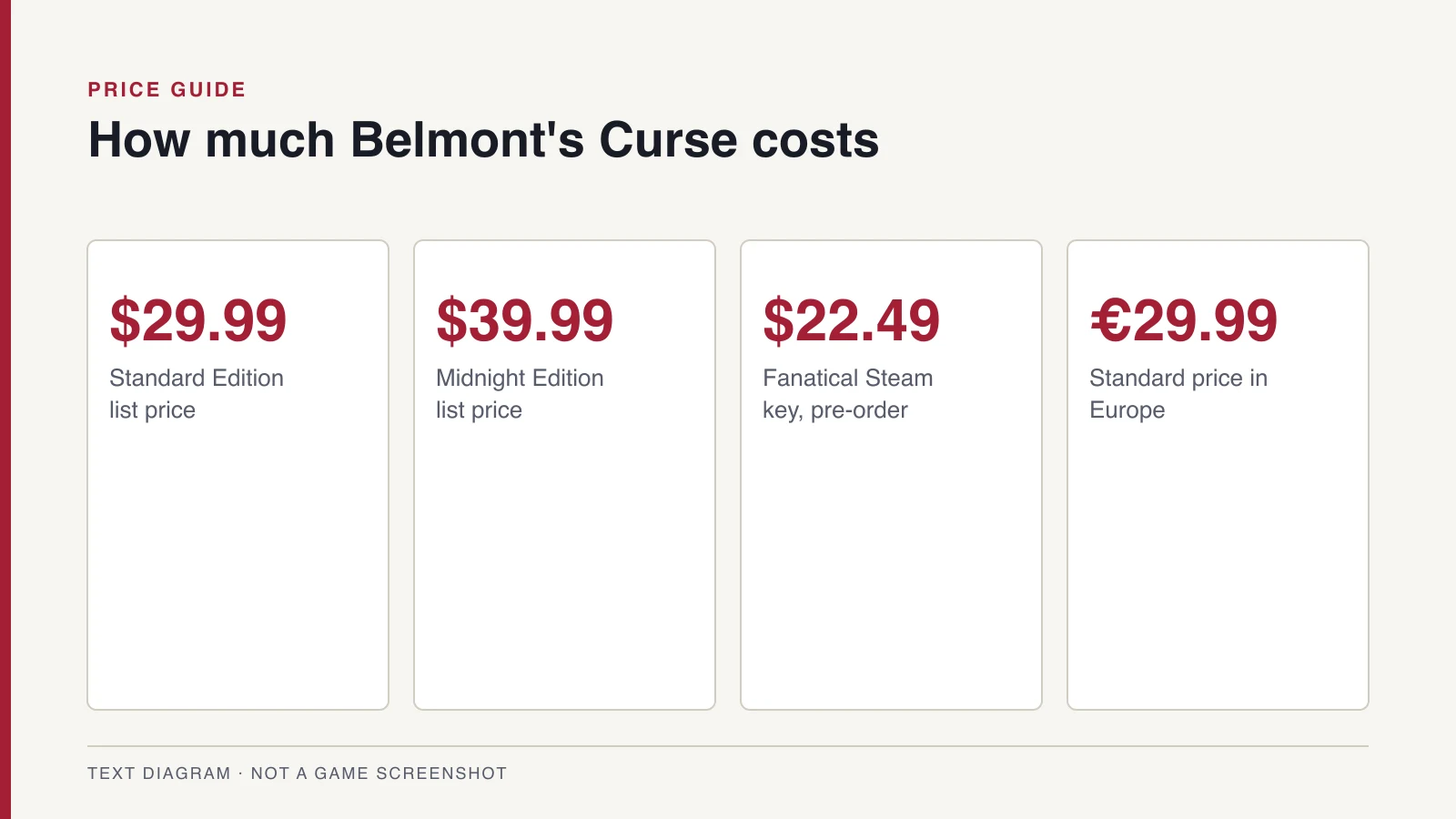
Steam lists the Standard Edition at $29.99 and Midnight at $39.99. Authorized key stores sold it for less during pre-orders, with Fanatical at $22.49 for Standard. Those keys activate on Steam like a normal purchase.
Marketplace sellers can be cheaper still, but check the region field before buying. A key from the wrong region may not activate on your account. Our price guide compares the options.
What is excluded from this PC guide
The research does not provide a tested graphics-settings profile or a measured frame-rate table. It also does not supply an unsupported compatibility claim for other operating systems. Adding those promises would go beyond the document’s confirmed PC information.
The practical answer is the official Steam route, the listed Windows specification, and the confirmed demo. Those are concrete facts that can be checked against the linked sources. For demo progress transfer, use the separate save-transfer guide, which is based on the publisher’s transfer conditions.
Frequently asked questions
- Does Belmont’s Curse have Steam achievements?
- Yes. The Steam product page lists Steam Achievements and Steam Cloud. See the achievements guide for the scope of the verified unlock information.
- Can I transfer the Steam demo save to a console?
- KONAMI’s transfer conditions require the same platform and account. Steam demo progress is not a cross-platform console transfer.
Sources and research date
This article uses the material retained in the October 15, 2026 research. Official descriptions, developer statements, and hands-on observations are identified in the section references. Details are scoped to those sources and are not a claim of independently completed retail testing.
- Steam publisher-maintained store listing ↗
- KONAMI US demo launch and transfer rules ↗
- KONAMI official game website ↗
- RPG Site: 30fps on Switch, 60fps on PS5, Xbox and PC ↗
- Slickdeals: Fanatical pre-order price ↗
- Valve Steam Deck compatibility report for app 4231820 ↗
 PlatformsSteam Deck
 GuidesKnown Issues & Fixes
 GuidesDemo Save Transfer
 GuidesAchievements
 GuidesHow Long To Beat
 PurchasePrice & Deals